ED Interplay

ED Interplay Tool Lite: features

Summary

ED Interplay Tool Lite is a free EDGY modelling tool that works in your browser, with nothing to install and no sign-in. Model your organisation, services, customer journeys and architecture in EDGY, bring in what you have from tables and diagrams, and explore how everything connects. Your model stays on your own computer.

Design languageEDGY, an open design language from Intersection Group
UseIn the browser at edinterplay.com/lite, no sign-in
SavingA file or a folder on your own computer
LanguagesEnglish and Finnish
PriceFree
ED Interplay Tool Lite – introduction video, 2 min 29 s

Getting started and saving

Ready at once. Open Lite in your browser and start from scratch, from a ready example or from a template. After the first visit everything also works without a network.

Your model on your computer. Save the model as a file or in a folder on your own computer (a folder in Chrome and Edge). Lite reminds you of unsaved changes and can save the model encrypted.

Examples and templates. The gallery has fictional examples, such as the online shop's From order to delivery, and the ideation templates Enterprise Wheel and EDGY Facet Model.

Guide and what's new. Lite's own guide in English and Finnish is in the Help menu, and the About window tells what is new in the version.

Modelling with EDGY

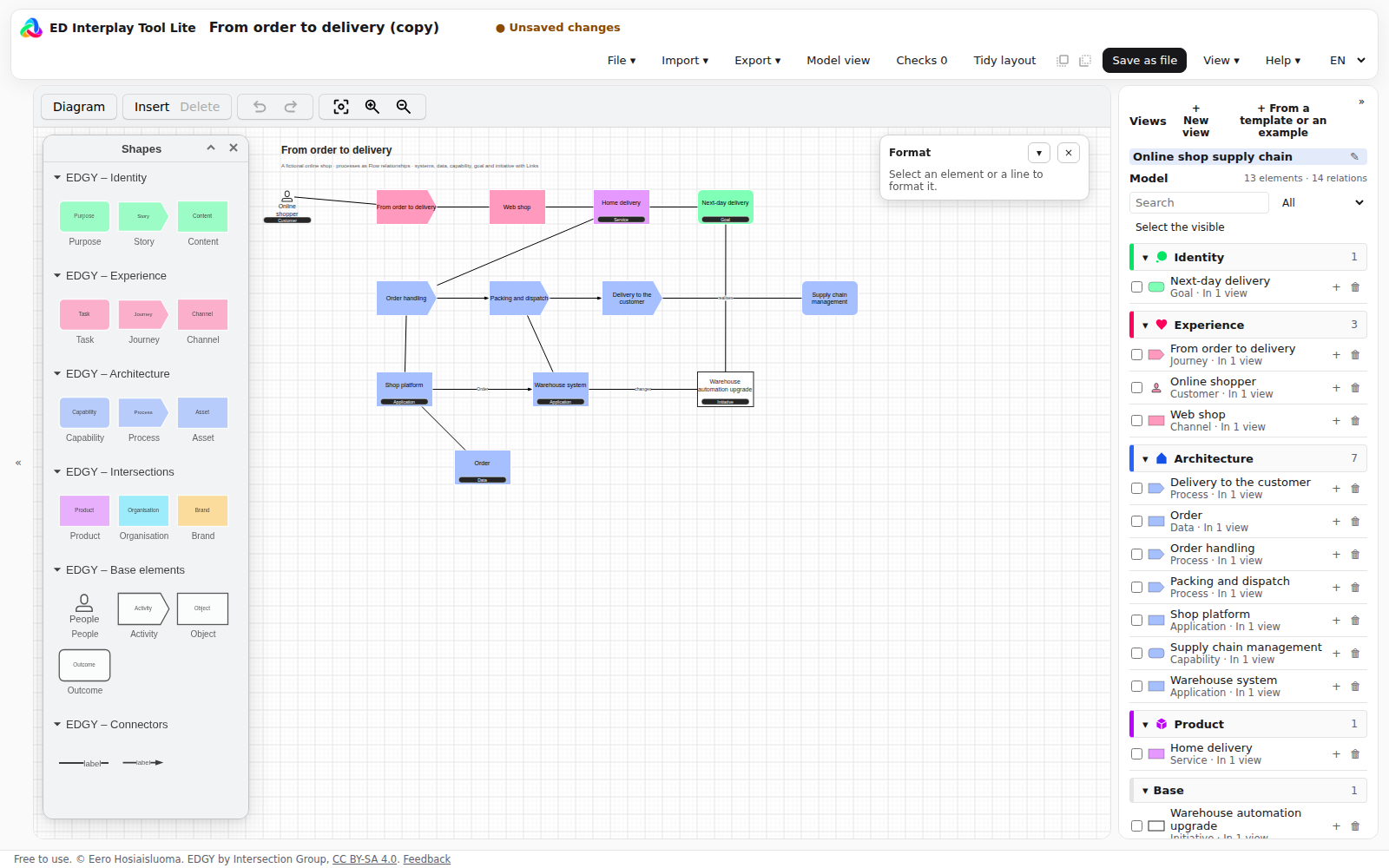
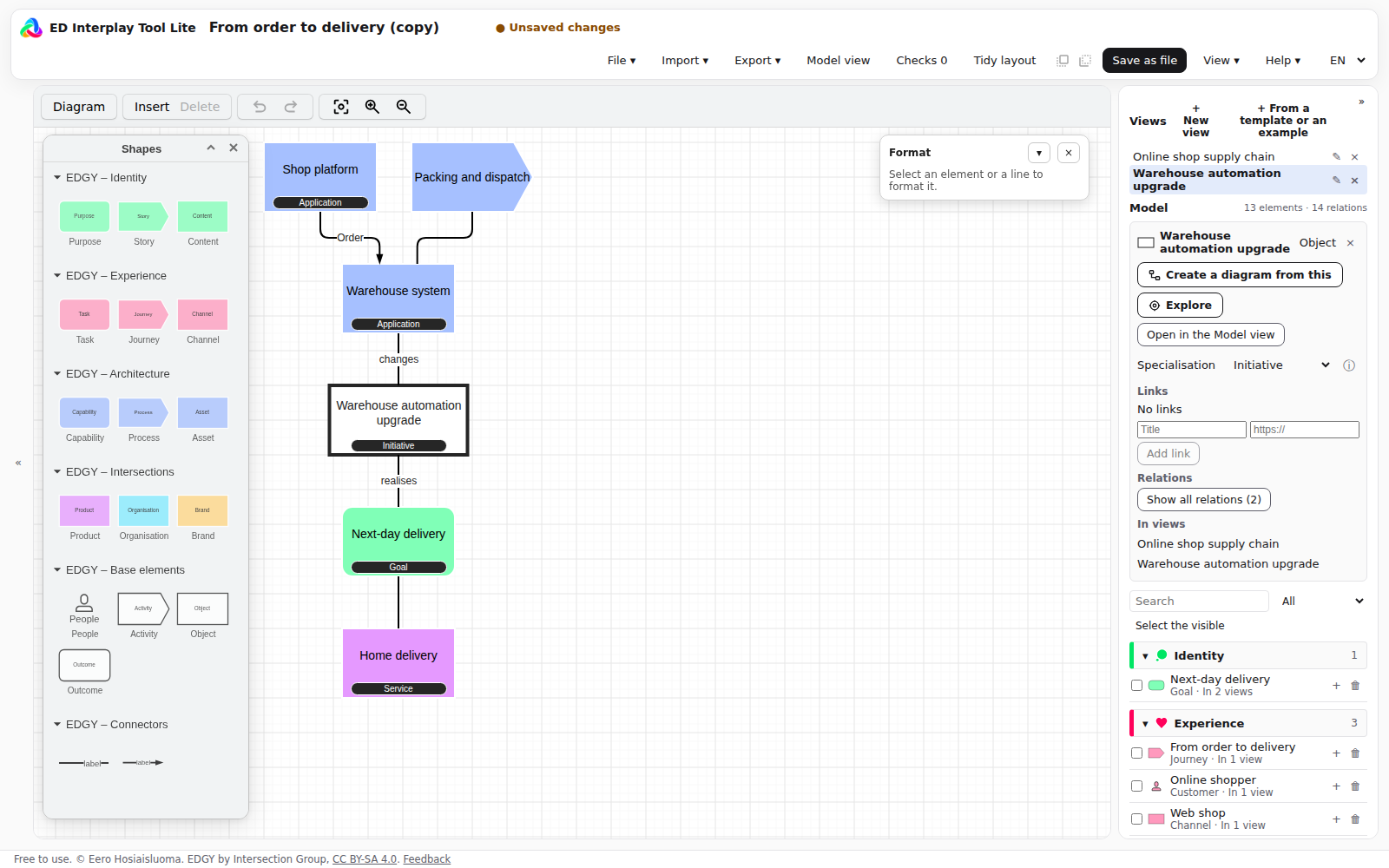
The EDGY palette. The palette has EDGY's elements and the relationships Link and Flow. Every shape in a diagram is an element of the model, so the same element can appear in many diagrams.

The EDGY palette and a diagram

Specialisations. Refine an element with a specialisation, for example Asset → Application, Data, Technology, Device or Facility. Its type label shows in the diagram.

Allowed formats. The name's position, size and colour, a line's width, colour and route, and numbering, aligning and spacing. The EDGY notation stays as it is.

Checks. The checks find unnamed, unconnected and duplicate items, and elements of one type whose names differ by a letter or two. Nothing changes by itself.

Import

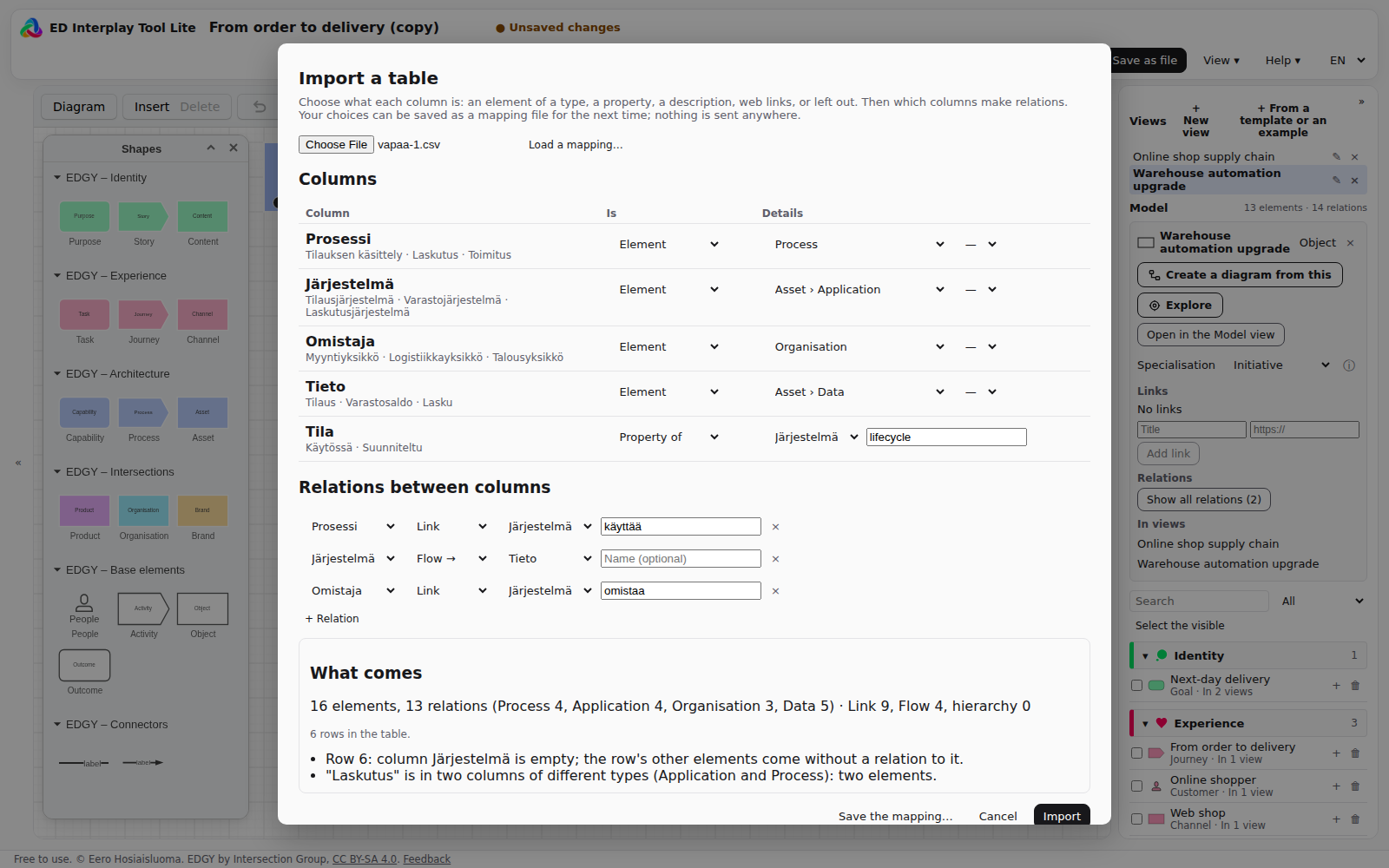
A table, columns chosen (CSV or Excel). Tell what each column is (an element, a specialisation, a property, a description, web links or left out) and which columns make relations. The preview counts what comes and warns, for example, of empty cells and of one name in two types. Save your choices as a mapping file for the next table of the same columns.

A table imported, columns chosen

Other imports. CSV (also Sparx EA's exports), Excel, draw.io diagrams, ArchiMate models (Model Exchange File) and ED Interplay Tool's JSON. The import report tells what came in.

Views from the model

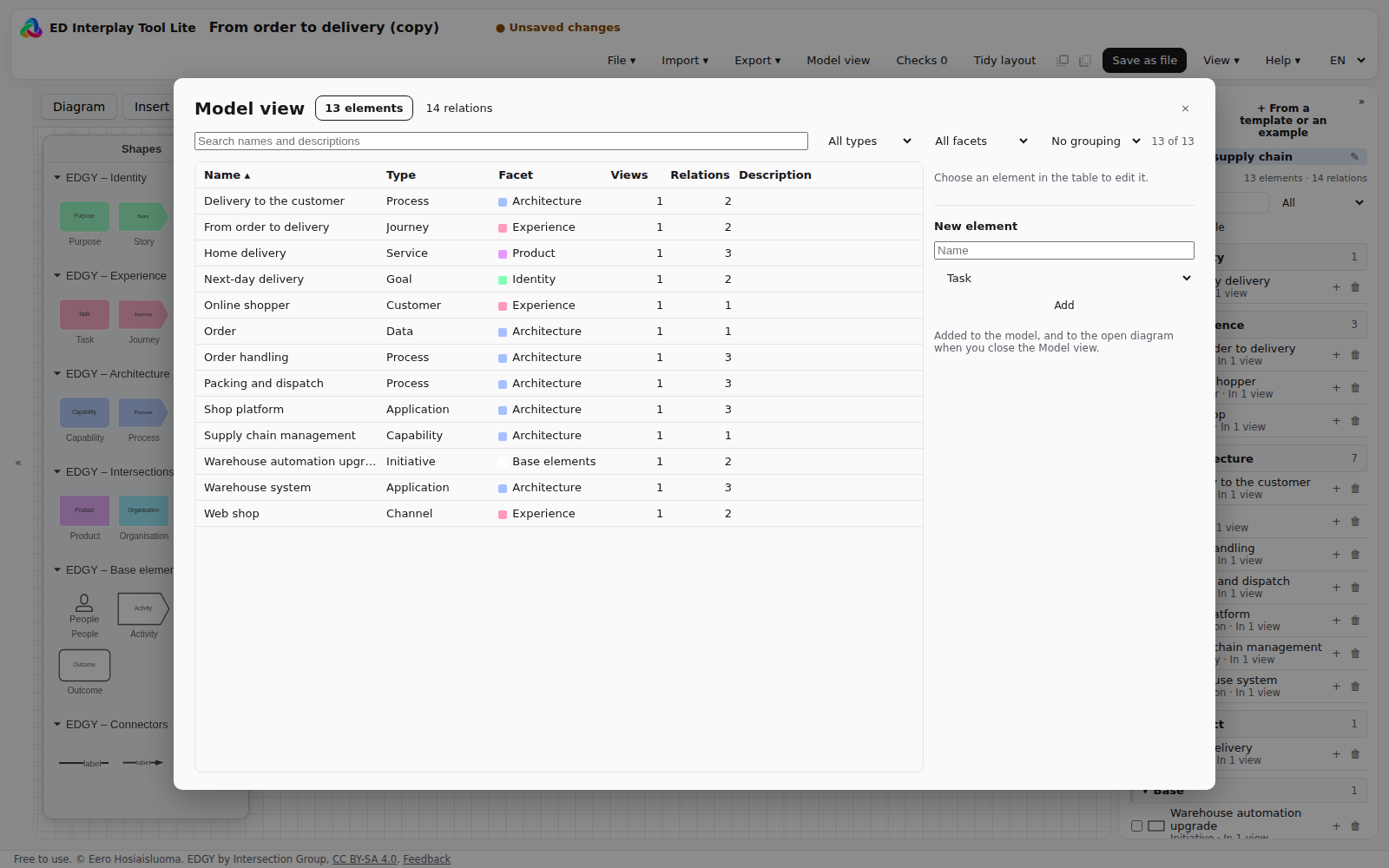
The Model view. The model's elements and relations as tables: search, filter by type and facet, sort and group. Rename an element, write its description and properties, and add a new element to the model.

The Model view
The Model view

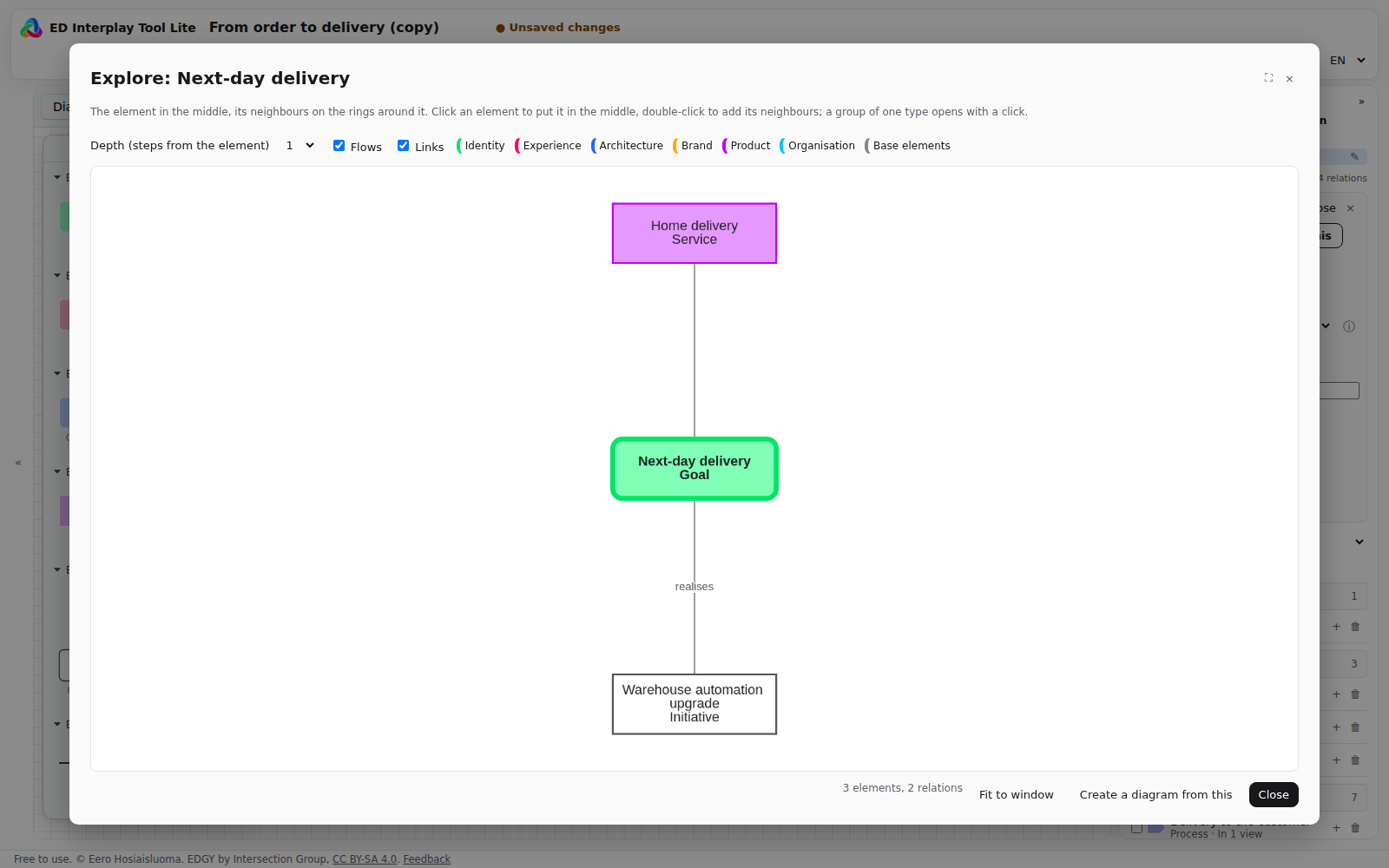
Explore. The element in the middle and its neighbours on rings, in EDGY's colours. A click puts an element in the middle, a double click adds its neighbours, and the facets and relation kinds can be filtered.

Explore
Explore

A diagram from an element. A new view from the chosen element: the element in the middle, incoming Flows on the left, outgoing on the right and Links above and below. A line that would run through another element is not drawn, and the diagram says which lines were left out.

A diagram from an element

A diagram of the selected. Choose elements and create a diagram of them and the relations between them.

Tidy layout. The selected elements or the whole diagram laid out again along its Flows.

Security and privacy

Your model stays with you. Lite does all its work in the browser and sends your model nowhere. Help → Security and privacy tells what the browser keeps and how to check it yourself.

No sign-in, no tracking. No user accounts, analytics, cookies or third-party services.

Try it and get in touch

EDGY is an open design language from Intersection Group. The Enterprise Wheel is Eero Hosiaisluoma's extension to EDGY.